Motion Graphics: What They Are, Examples & How to Make Them
What motion graphics are, the main types with real examples, how professionals make them, and how to make your own motion graphics with AI in minutes.
Animatid Admin··8 min read
On this page
Motion graphics are everywhere: the animated stats in a product launch, the bold words that pop onto a Reel, the logo that builds itself at the start of a YouTube video. They make information easier to follow and much harder to scroll past.
Until recently, making them meant learning After Effects or hiring a motion designer. This guide explains what motion graphics are, shows real motion graphics examples for each common type, walks through how professionals make them, and shows how to make your own motion graphics with AI in a few minutes, with no design software.
The short version: motion graphics are animated graphic design. Text, shapes, icons, charts and logos move to explain an idea or sell a message. They're used in explainer videos, ads, social media, product launches and presentations.
Motion graphics (also written motion graphic or mograph) are graphic design elements set in motion: typography, shapes, icons, illustrations, charts, logos and UI screens, animated and usually set to music or a voice-over.
The key difference from other animation is the purpose. Motion graphics communicate information: a number, a process, a product feature, a message. They rarely tell a story with characters. Think of an animated chart showing growth, a headline that types itself out, or three steps that slide in one by one.
Motion graphics vs. animation vs. motion design
Animation is the broad term for anything that moves frame by frame, including character animation in films and cartoons.
Animatid is an AI video editor that turns a short description into an explainer or animated video. See how it works.
Motion graphics are one type of animation: animated graphic design (text, shapes, data, logos) used to communicate.
Motion design is the discipline, and often the job title. A motion designer plans and animates motion graphics, and also designs motion for apps, websites and brands. In practice, people use motion design and motion graphics almost interchangeably.
Motion graphics examples
Here are the most common types of motion graphics, with real examples made in Animatid. Each was made from a short written brief; no design software was involved.
1. Kinetic typography
Kinetic typography is text in motion: words that slam, slide, scale and wipe on screen in rhythm. It's the go-to style for Reels, TikTok and ads, because the message works even with the sound off.
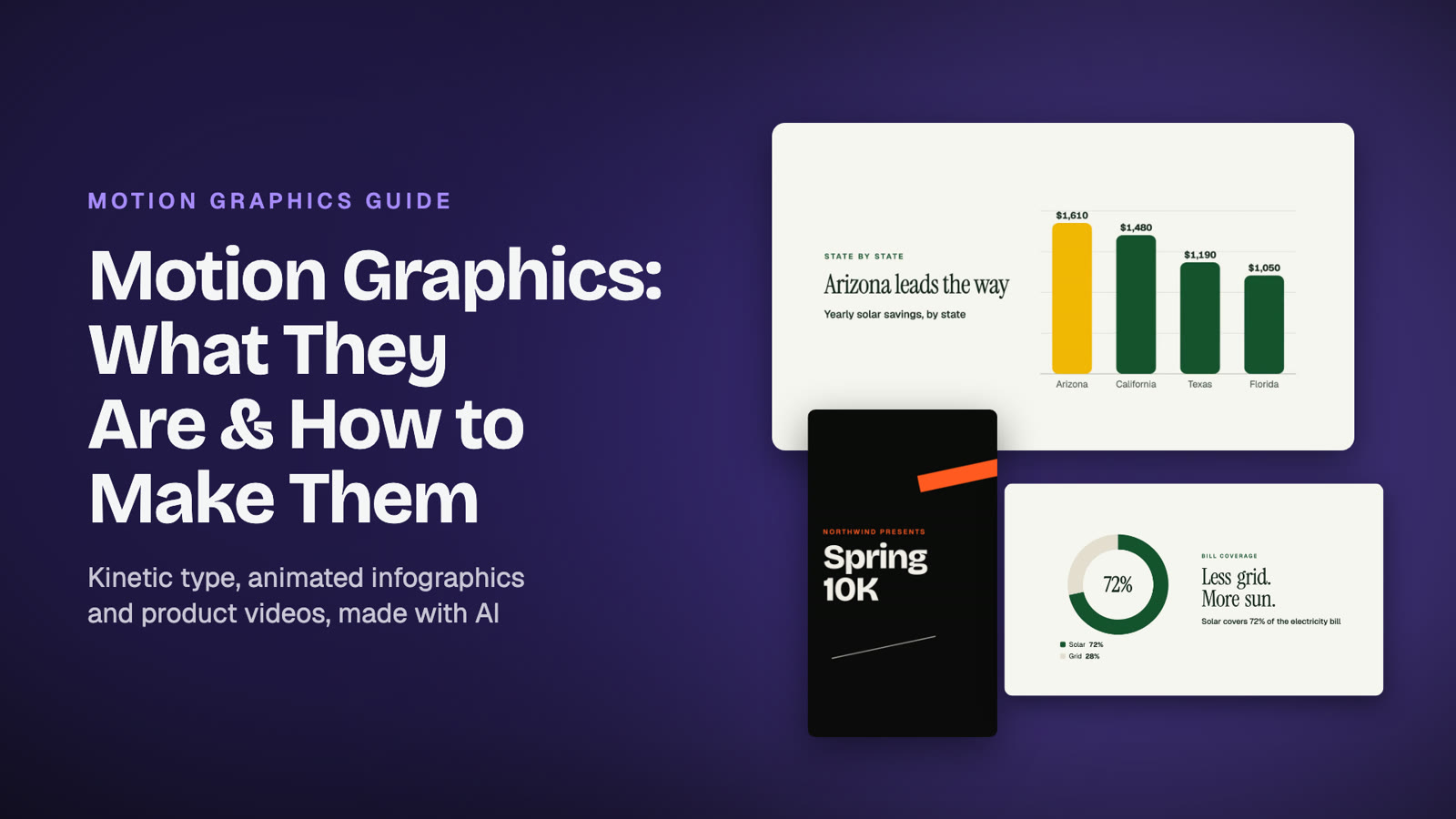
Kinetic typography for a running club's 10K: oversized words, word-by-word reveals and slanted wipes, made from a short brief (fictional brand).
2. Animated infographics and data
Numbers become counters, bar charts grow, donut charts fill. Animated infographics turn reports, results and statistics into something people actually remember. They're great for annual reviews, case studies, investor updates and social proof.
An animated infographic for a solar installer: a savings counter, a bar chart by state, a donut chart and an illustrated house (fictional brand and figures).
3. Product and UI motion graphics
App screens, dashboards and features shown in motion, often with callouts and zooms. They're ideal for SaaS launches, feature announcements, onboarding and homepage videos.
A product explainer for a bookkeeping app: the AI drew the app screens, the steps and the end card.
4. Explainer videos
An explainer video combines several motion graphics styles to explain a product or process in 30 to 90 seconds: the problem, the solution in a few steps, and a call to action. See our guide on how to make an AI explainer video.
5. Logo animations and brand intros
A logo that draws, assembles or reveals itself, used at the start or end of videos, in presentations and on social profiles. Short (2 to 5 seconds), and one of the most requested motion design jobs.
6. Social media ads and Reels
Short, vertical motion graphics built to stop the scroll: a bold hook in the first second, one message per scene, and a clear call to action at the end. They often mix kinetic type with product photos or clips.
7. Titles, lower thirds and captions
The animated name tags, section titles and captions in YouTube videos, webinars and interviews. Small, but they make any video look produced.
Where motion graphics are used
Websites and landing pages: a short loop in the hero section explains the product faster than a paragraph.
Paid ads: motion graphics ads are cheap to test in many versions and work without sound.
Social media: Reels, TikTok, Shorts, Stories and LinkedIn posts.
Product launches and feature updates: show what's new in 15 to 30 seconds.
Presentations and events: animated stats and intros for talks, pitches and town halls.
Training and onboarding: step-by-step processes people can follow.
YouTube: intros, chapter titles, lower thirds and data segments.
How motion graphics are traditionally made
A professional motion graphics project usually goes through these stages:
Brief and script: what the video must say, to whom, and how long it is.
Style frames: a few fully designed still frames that set the look: colors, type and layout.
Storyboard: every scene sketched in order, with timing.
Design: assets built in Illustrator, Photoshop or Figma.
Animation: everything animated in After Effects (or Cinema 4D for 3D), with easing, transitions and timing.
Sound: music, sound effects and voice-over mixed in.
Render and revisions: export, feedback, changes, export again.
That's why a 60-second motion graphics video from a studio typically takes 2 to 6 weeks and costs thousands of dollars. See the full breakdown in how much an explainer video costs.
How to make motion graphics with AI (step by step)
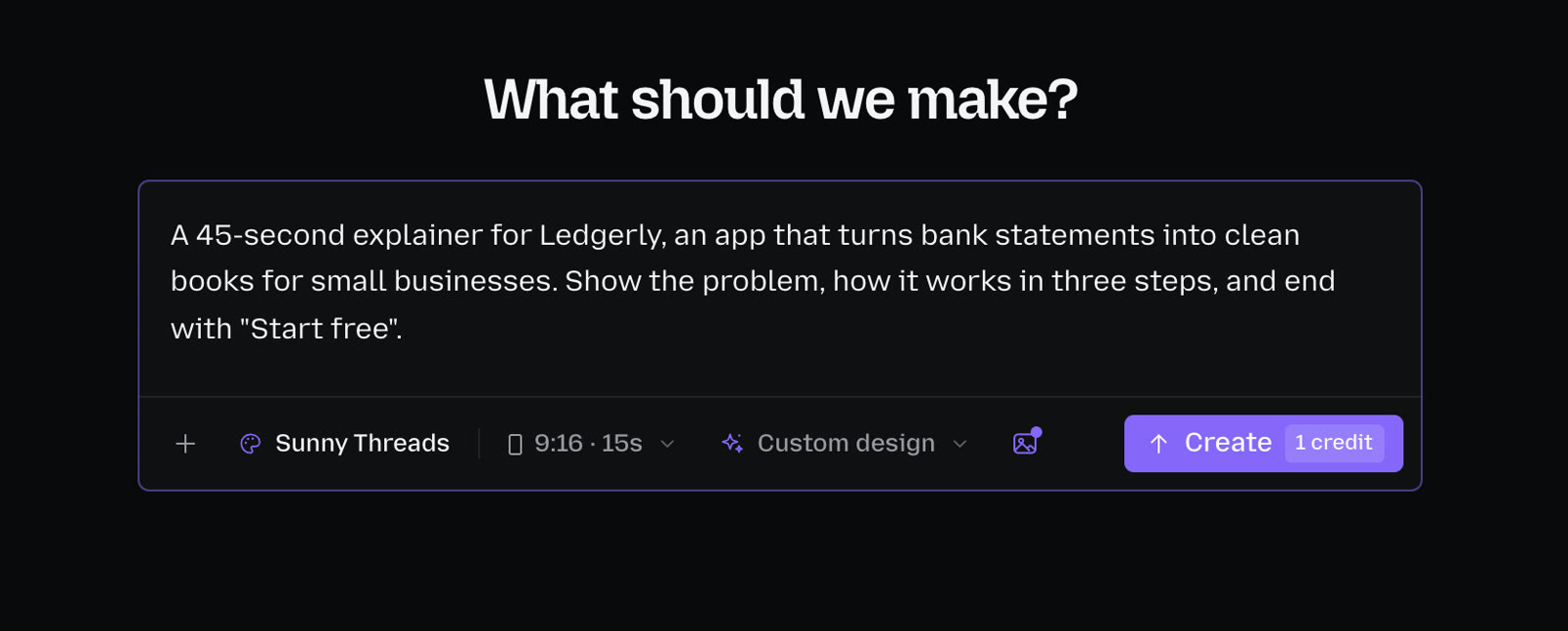
AI motion graphics tools do the design and animation part for you. You describe the video, and the AI plans the scenes, designs the layouts and typography, and animates everything. Here's how it works in Animatid:
Describe your video. Write what it's for, who it's for and what viewers should do. Include real facts, numbers and your call to action, and name a style if you have one in mind, such as "kinetic typography" or "animated infographic".
Pick the format and length. 9:16 for Reels and TikTok, 1:1 for feeds, 16:9 for YouTube and websites, from 15 seconds to 2 minutes.
Add your brand. Logo, colors and fonts, or a saved brand kit.
Choose a template or let the AI design. Start from a template, or pick Freeform for a design made from scratch for your brief.
Create. The AI writes a storyboard, designs every scene, renders a frame of each one and checks its own layout before you see it.
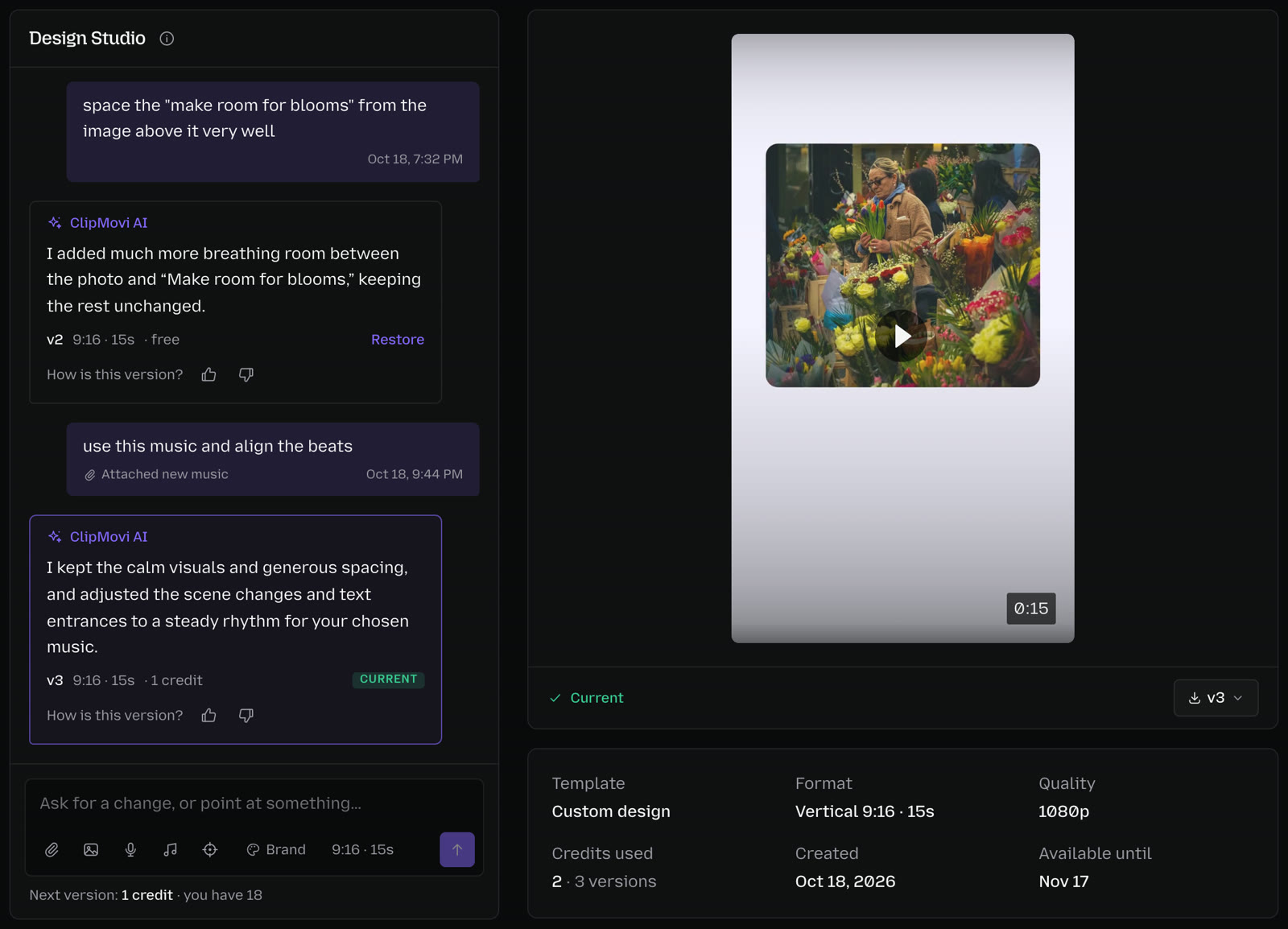
Refine by chat. Ask for changes in plain words: "make the numbers bigger", "slow down the last scene", "make a 9:16 version". You can also point at the exact element you want changed.
Describe the video in plain words. Brand, format, length and style sit right under the box.
Refine by chat in Design Studio. Every message makes a new version, and the first change is free.
8 motion design principles that make motion graphics look professional
Whether you animate by hand or with AI, these are what separate polished motion graphics from amateur ones. Use them to judge any draft:
Ease everything. Real objects speed up and slow down. Linear motion looks robotic; eased motion feels natural.
One idea per scene. If a scene says two things, split it. Viewers can only read one message at a time.
Clear hierarchy. One dominant element per frame (a headline, a number, a product) and everything else smaller.
Give text time. Hold each line long enough to read twice. A good rule: at least 1 second per 3 words, plus a beat.
Consistent motion language. Pick a few entrance styles and reuse them so the video feels designed, not random.
Contrast and readability. Strong contrast between text and background, especially on phones and in bright light.
Respect the format. Keep text inside safe margins, and design vertical videos for vertical, not cropped from landscape.
Cut on the beat. Time scene changes to music or voice-over so the motion feels intentional.
Motion graphics software and tools
Adobe After Effects: the industry standard for 2D motion graphics. Extremely powerful, with a steep learning curve.
Premiere Pro (Essential Graphics) and DaVinci Resolve (Fusion): titles, lower thirds and simpler motion graphics inside a video editor.
Cinema 4D and Blender: 3D motion graphics and product renders.
Lottie and Rive: lightweight animations for websites and apps.
Template editors (Canva and similar): quick, simple animated designs from templates.
AI motion graphics tools like Animatid: describe the video and get finished motion graphics with your brand, then refine them by chat. Best when you need good videos fast and don't want to learn design software.
How much do motion graphics cost?
From a freelancer, a 60-second motion graphics video typically costs $500 to $5,000; from a studio, $2,500 to $10,000; from an agency, more. With Animatid you pay 1 credit per 20 seconds of video (from $3), and your first video is free. For the full comparison, read how much an explainer video costs.
Frequently asked questions
What are motion graphics used for?
Motion graphics explain and promote: explainer videos, ads, social media posts, product launches, data and results, presentations, training videos, and YouTube intros and titles.
Are motion graphics the same as animation?
Motion graphics are a type of animation. Animation covers anything that moves, including character animation; motion graphics are specifically animated graphic design such as text, shapes, icons, charts and logos.
What software is used for motion graphics?
Professionals mostly use Adobe After Effects, plus Cinema 4D or Blender for 3D. AI tools like Animatid let you make motion graphics without any design software by describing the video you want.
Can AI make motion graphics?
Yes. AI motion graphics tools write the scenes, design layouts and typography, animate text, charts and illustrations, and match your brand. With Animatid you can then change anything by chat.
How long should a motion graphics video be?
15 to 30 seconds for social media and ads, 30 to 60 seconds for product and feature videos, and 60 to 90 seconds for homepage explainers. Shorter usually performs better.
Do I need design skills to make motion graphics?
Not with an AI tool. You describe what the video should say and how it should feel; the AI handles layout, typography and animation. Knowing the principles above helps you ask for better changes.
Make your first motion graphics video in minutes
Motion graphics used to mean weeks of work in After Effects or a studio invoice. Now you can describe your video in a few sentences and get polished, on-brand motion graphics you can download and post today.
 Animatid Admin8 min read