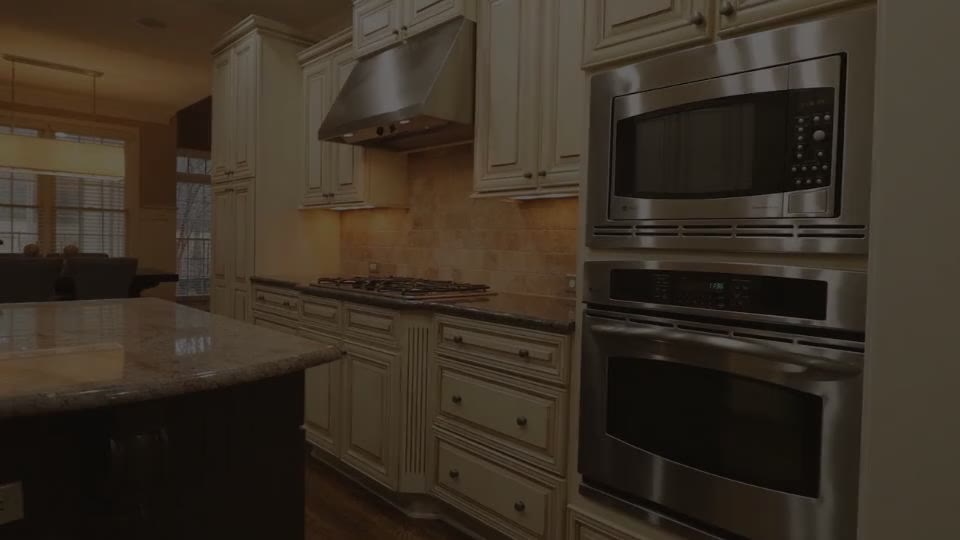
How to make a real estate listing video from photos
A real estate video (a listing video or property tour) shows a home the way a buyer would walk through it: the street view, the main rooms, the details that make it special, then the price and how to book a viewing. Listings with video give buyers a better feel for a home than a photo gallery, and short vertical tours are now standard on Instagram, TikTok and YouTube Shorts.
You don't need a videographer or a gimbal. With Animatid's real estate video maker you add the address, price and highlights, attach the listing photos you already have, and Animatid AI turns them into a polished property tour with smooth camera moves, clean type and your branding. This guide covers what to include, how to order your photos, formats for each platform, narrated tours, open house and just-sold videos, and costs.
What a great listing video includes
Buyers scroll fast. A listing video earns their attention when it answers their first questions immediately and saves the details for the end:
- A strong first shot. The exterior or the best room, with the neighborhood or address on screen.
- The key facts. Price, beds, baths and size, shown clearly and correctly.
- The tour. Living areas, kitchen, main bedroom, outdoor space: one room per scene, each with a short caption.
- What makes it special. The chef's kitchen, the pool, the view, the walk to schools.
- The agent and the next step. Your name or brokerage, logo and a call to action: "Book a private tour".
How to make a listing video with Animatid
- 1Enter the listing details
Use the form on this page: address or neighborhood, price, beds, baths and size, the highlights, your name or brokerage and the call to action.
- 2Choose format and length
Vertical 9:16 for Reels, TikTok and Shorts; landscape 16:9 for your listing page, YouTube and email. 20 to 30 seconds works for social; 45 to 60 seconds for a fuller tour.
- 3Attach your listing photos
Add 6 to 12 of your best photos, up to 20, plus any video clips you have. Put them in the order of a walk-through: outside, living, kitchen, bedrooms, outdoor space.
- 4Apply your brand
Use a brand kit with your brokerage logo, colors and fonts, so every listing video looks like yours.
- 5Add a narrator (optional)
Turn on an AI voice-over and Animatid AI writes and reads a short tour script, or paste your own.
- 6Create, review and post
Animatid AI designs the tour, checks its frames and renders it. Change anything by chat, then download the MP4 for your listing and social channels.
Choosing and ordering listing photos
Animatid works with the listing photos you already have; it doesn't need special footage. A few guidelines get the most out of them:
- Use the professional set. Bright, level, wide photos make the best scenes. Phone photos work, but avoid dark or tilted ones.
- Six to twelve photos for a 30 to 60 second tour. Around one photo every three to five seconds keeps the pace comfortable.
- Order them like a showing. Exterior, entry, living, kitchen, dining, main bedroom, bathrooms, outdoor space. Animatid AI follows the order that tells the best story.
- Mix in a clip if you have one. A short drone or walk-through clip adds motion between photos.
- Skip near-duplicates. Two almost identical angles of the same room slow the video down.
Each photo gets a smooth camera move (a slow push-in or pan) so stills feel like footage, with short captions for the room or feature placed where they don't cover what matters in the shot.
Writing the listing details (with examples)
Specific facts make listing videos credible. Type them exactly as they should appear: they're shown as real text, so prices and square footage are never garbled.
Address: 18 Willow Lane, East Austin Price: $625,000 Beds, baths and size: 4 bed, 3 bath, 2,400 sq ft Highlights: Chef's kitchen, big backyard with pool, walk to schools Agent: Maple Street Realty CTA: Book a private tour
Address: The Larkin, Unit 12B, Downtown Seattle Price: $3,400/month Beds, baths and size: 2 bed, 2 bath, 1,050 sq ft Highlights: Floor-to-ceiling windows, rooftop terrace, in-unit laundry, pet friendly Agent: Harbor & Co. Leasing CTA: Schedule a viewing this week
Address: Casa del Mar, Malibu Price: Offered at $8,950,000 Beds, baths and size: 5 bed, 6 bath, 6,200 sq ft on one acre Highlights: Ocean views from every room, infinity pool, private beach access Agent: Coastline Estates CTA: Private showings by appointment
Formats for every channel
| Where it's going | Format | Length |
|---|---|---|
| Instagram Reels, TikTok, YouTube Shorts | Vertical 9:16 | 20 to 30 seconds |
| Facebook and Instagram feed | Square 1:1 or vertical 9:16 | 20 to 45 seconds |
| Listing pages and property websites | Landscape 16:9 | 30 to 60 seconds |
| YouTube and email campaigns | Landscape 16:9 | 45 to 90 seconds |
Make the vertical version for social first, then ask Design Studio for a landscape version for the listing page. Every scene is re-laid out for the new shape, so captions and photos stay framed properly.
Real estate videos beyond the listing
The same tool works for most of the videos an agent or brokerage posts:
The date, time and address up front, a quick tour, and a reminder to come by. Post it a few days before.
Announce a new listing or celebrate a sale with the price and a thank-you, and show sellers you market homes well.
The new price, the best features and a call to book before it's gone.
Parks, schools, cafes and commute times as animated scenes with stock or your own photos.
Median price, days on market and inventory as animated charts. See the motion graphics generator.
Who you are, the areas you cover and how you work, in a short branded video.
Narrated property tours
A narrator turns a slideshow into a tour. Turn on an AI voice-over and Animatid AI writes a short script for your length, about 2.5 words per second, so roughly 70 words for a 30-second tour, and has it read in a natural voice. Each scene is timed to the narration, and the music is lowered under the voice.
There are 20 voices in English accents including American, British, Australian, Irish and South African, so you can match the voice to your market. Prefer your own voice? Upload a recording instead and Animatid times the scenes to your words. See the AI voice-over video page for all voices.
A narrated video costs 1.5 times the usual credits, rounded up.
Branding your listing videos
Consistent branding builds recognition: when someone sees your third listing video, they should know it's yours before they see the logo. Save a brand kit with your brokerage logo, colors, fonts and usual call to action, and set it as your default so it fills in every new video.
Teams can keep a kit per agent or per brand. Check your brokerage's and your MLS's rules on what must appear in marketing (such as the brokerage name) and include it in the details or the call to action.
Listing video script examples
Whether you narrate the tour or keep it to on-screen captions, a short script keeps the video focused. Paste one into the AI voice-over script field to have it read word for word, or leave the field empty and Animatid AI writes one from your details.
Welcome to 18 Willow Lane, in the heart of East Austin. Four bedrooms, three baths and twenty-four hundred square feet of light-filled living. The chef's kitchen opens onto a big backyard with a pool, made for summer evenings. And the schools are a short walk away. Offered at six hundred twenty-five thousand. Book your private tour with Maple Street Realty today.
Open house this Saturday, eleven to two. 18 Willow Lane: four beds, a pool and a chef's kitchen, steps from great schools. Come see it in person. Maple Street Realty.
Captions that work without sound
Many people watch listing videos with the sound off, so the captions carry the tour. Keep each to a room name or a feature in two to four words: "Chef's kitchen", "Pool + backyard", "Main suite". Animatid AI writes them from your highlights and places them where they don't cover the important part of the photo.
Listing video mistakes to avoid
- Starting with the agent. Buyers came for the home. Open on the best photo; your branding belongs at the end.
- Too many photos. Thirty photos in thirty seconds is a slideshow nobody can follow. Pick the best six to twelve.
- Leaving out the price. It's the first question buyers ask. If the listing allows it, show it.
- Dark or tilted photos. Camera moves magnify problems. Use the bright, level professional set.
- Only one format. A landscape tour posted to Reels gets cropped or letterboxed. Make a vertical cut for social.
- Inconsistent branding across listings. Save a brand kit so every listing video carries the same logo, colors and fonts.
- Forgetting required details. Your brokerage or local rules may require certain information in marketing; add it to the details or the call to action.
What a listing video costs
Hiring a videographer for a property tour typically means a shoot, editing time and a fee per listing. With Animatid you use the photos you already have and pay per video with credits: one credit per 20 seconds started, so a 20-second tour is 1 credit and a 60-second tour is 3. A narrated tour costs 1.5 times that, rounded up.
No subscription, credits never expire, and your first video is free (720p with a small watermark; paid videos are 1080p without one). Current prices are on the pricing section.
Tips for listing videos that get showings
- Post the day the listing goes live. Momentum matters most in the first week.
- Show the price. Videos that hide it get comments asking for it instead of showings.
- Keep captions short. "Chef's kitchen" or "Pool + big backyard", not full sentences.
- Make two cuts. A 20-second vertical teaser for social and a 60-second landscape tour for the listing page.
- Reuse your best video as a template. Use a finished listing video as the starting point for the next and it keeps the look with new photos and details.
- Follow up with a just-sold video. It's the best marketing for your next listing.