The Best Explainer Video Maker in 2027: 20 AI Tools Compared
We compared 20 explainer video makers, from AI tools that design the whole video to avatar, animation and whiteboard apps, with prices, pros and cons, so you can pick the right one in minutes.
Animatid Admin··35 min read
On this page
A good explainer video does one job: it makes a product, process or idea click in under two minutes. Ten years ago that meant hiring a studio. Today an explainer video maker can write the script, design the scenes, add a voice-over and hand you an MP4 in the time it takes to drink a coffee. The hard part is no longer making the video. It's picking the right tool out of the hundreds that now call themselves AI video makers.
We went through 20 explainer video makers that are genuinely built for explainers: AI generators that design the whole video from a prompt, AI avatar presenters, 2D character animation, whiteboard tools and document-to-video apps. For each one you'll find what it does, who it suits, its standout features, honest pros and cons, and its published price as of October 24, 2026.
Full disclosure: this guide is published by Animatid, and we put our own tool first. We explain exactly why below, we're upfront about what it can't do, and we've kept every claim about the other tools factual and based on their own websites and pricing pages. If another tool fits your job better, we say so.
Quick answer: the best explainer video maker in 2027
Animatid is the best explainer video maker for most businesses in 2027. You describe the video in a sentence or two, and its AI writes and designs every scene: kinetic typography, icons, charts, counters, your logo and your brand colors, with a voice-over and music timed to the cuts. You then refine it by chatting with it, and you pay per video instead of a monthly subscription. Your first video is free.
If you need something specific, these are the best alternatives:
Best for AI avatar presenters and training at scale:Synthesia
The table below sums up all 20 tools. Prices are each tool's lowest paid plan as published on October 24, 2026. "Yearly" means the monthly price when you pay for a year up front.
Prices in US dollars as published on each tool's pricing page on October 24, 2026. Plans change often, so check the vendor's site before you buy.
What is an explainer video maker?
An explainer video maker is software that helps you produce a short video explaining a product, service, process or idea, usually 30 seconds to 2 minutes long. Older tools give you a library of templates, characters and a timeline to assemble the video yourself. AI explainer video makers go further: you give them a prompt, a script, a document or a web page, and they write, design and narrate the video for you.
Most tools fall into one of five styles, and the style you need narrows your shortlist faster than any feature list:
Motion graphics and kinetic typography: bold animated text, icons, charts and product shots. The modern SaaS and startup look. Tools: Animatid, Lunair, Renderforest.
AI avatar presenter: a realistic digital person talks to camera. Great for training and internal updates. Tools: Synthesia, HeyGen, Colossyan.
2D character animation: cartoon characters act out a story. Tools: Vyond, Powtoon, Animaker, Steve.AI.
Whiteboard animation: a hand draws the story on a white background. Tools: VideoScribe.
Document, blog or screen-to-video: turns existing content or a screen recording into a narrated video. Tools: Pictory, Lumen5, Fliki, Guidde.
We started from the pages that rank for "explainer video maker" and "best explainer video software", then added tools that keep coming up in Product Hunt launches, G2 and Capterra reviews and other 2026 roundups. From more than 40 candidates we kept the 20 that are genuinely built to make explainer videos, and dropped general video editors, screen recorders without an explainer workflow, and tools that have changed direction (one well-known AI explainer startup now runs as an ad agency).
Each tool was judged on the same seven questions:
Output quality: does the finished video look professionally designed, or obviously templated?
Speed from idea to video: how much of the work does the tool do for you?
Brand control: can you use your logo, colors and fonts, and keep them consistent?
Voice and audio: can you use your own voice-over, an AI voice, and music that fits?
Editing: how easy is it to change one thing without starting over?
Formats: does it export 16:9, square and vertical video for every channel?
Honest pricing: what does a watermark-free, full-HD video really cost, including credits, export caps and seat limits?
Every price in this guide was copied from the vendor's own pricing page on October 24, 2026. Where a vendor hides its prices or shows different numbers in different places, we say so. We use Animatid every day, so our view of it is first-hand; for the other tools we relied on their own product pages, documentation, pricing pages and public user reviews, and we describe their features in their own terms rather than guessing.
The 20 best explainer video makers in 2027
1. Animatid: best AI explainer video maker overall
Frames from a 30-second product explainer made with Animatid.
Animatid is an AI video editor built specifically for explainer, promo and product videos. Instead of picking a template and filling in blanks, you describe the video you want, add your logo and any photos or clips, and its AI designs the whole thing scene by scene: the copy, the layout, kinetic typography, icons, charts, animated counters, transitions such as 3D flips, plus music and a voice-over timed to the cuts. Before you see it, the AI renders a frame of every scene and reviews its own work, fixing anything that overlaps or reads poorly.
Where Animatid really stands apart is what happens next. Every video opens in Design Studio, where you change it by chatting: "make the intro faster", "use our green", "turn this into a vertical version for Reels". You can pause the preview and click the exact element you mean, so the AI knows which headline or chart you're talking about. Each change becomes a new version you can compare or restore.
Pricing is just as simple: no subscription and no seats. You buy credits when you need them and each video costs credits based on its length, so a team that makes two videos a month doesn't pay for twenty.
Best for: startups, SaaS and marketing teams, agencies and small businesses that want polished, on-brand motion graphics explainers without learning animation software or paying for a monthly plan they won't fully use.
Key features
Describe it and the AI designs every scene: write a sentence or a full brief, pick a style or let the AI choose, and get a finished video, not a rough draft. Or start from one of its video templates.
Brand kits: save your business name, call to action, tone, colors, logo and fonts (upload your own or pick any Google Font) and apply them to every video in one click.
Your voice or an AI voice: upload your own voice-over and Animatid transcribes it and moves scene cuts so they never land mid-word, ducking the music under your voice. Or pick a natural AI voice-over and let the AI write the narration, or have it read your script word for word.
Every format: 16:9 for YouTube and websites, 1:1 for feeds, 9:16 for TikTok, Reels and Shorts. Switch format in Design Studio with one message.
Design Studio chat edits with point-and-click: change anything by describing it, click the paused preview to point at an element, compare versions and restore any earlier one.
Style references: upload a video or paste a public YouTube link and Animatid copies its look and pacing (never its content) for your video.
Media and music handled for you: if you don't have enough photos, clips or music, it finds fitting stock media and a track whose tempo matches the video, then cuts scenes on the beat.
Videos from 15 seconds to 2 minutes, downloadable in 1080p, 720p or 480p.
Pricing (checked October 24, 2026): Pay per video with credits: 1 credit per started 20 seconds of video, and credits cost $15 for 5 ($3 each). A 30-second video is 2 credits ($6), a 60-second video 3 credits ($9) and a 2-minute video 6 credits ($18). An AI voice-over or a style reference adds 50%, so a 60-second video with an AI voice is 5 credits ($15). Your first change to each video in Design Studio is free. Your first video is free (up to 20 seconds, as a watermarked 720p preview). Failed videos are refunded automatically.
Pros
Designs genuinely custom motion graphics around your content instead of dropping your text into a template
The fastest path from a one-line idea to a finished, on-brand explainer
Edit by chat and by clicking the element you mean: no timeline to learn
Pay-per-video credits with no subscription, which is much cheaper for occasional videos
Brand kits, your own fonts, and 16:9, 1:1 and 9:16 from the same project
Your own recording or an AI voice-over, with cuts aligned to the words
Cons
No AI avatar presenters: if you need a talking digital human, pick Synthesia or HeyGen
Videos are capped at 2 minutes, so it isn't built for long courses or webinars
AI voices are English (with several accents); for other languages, upload your own voice-over
No traditional timeline editor; changes are made by chat and pointing
2. Synthesia: best for AI avatar explainers and training
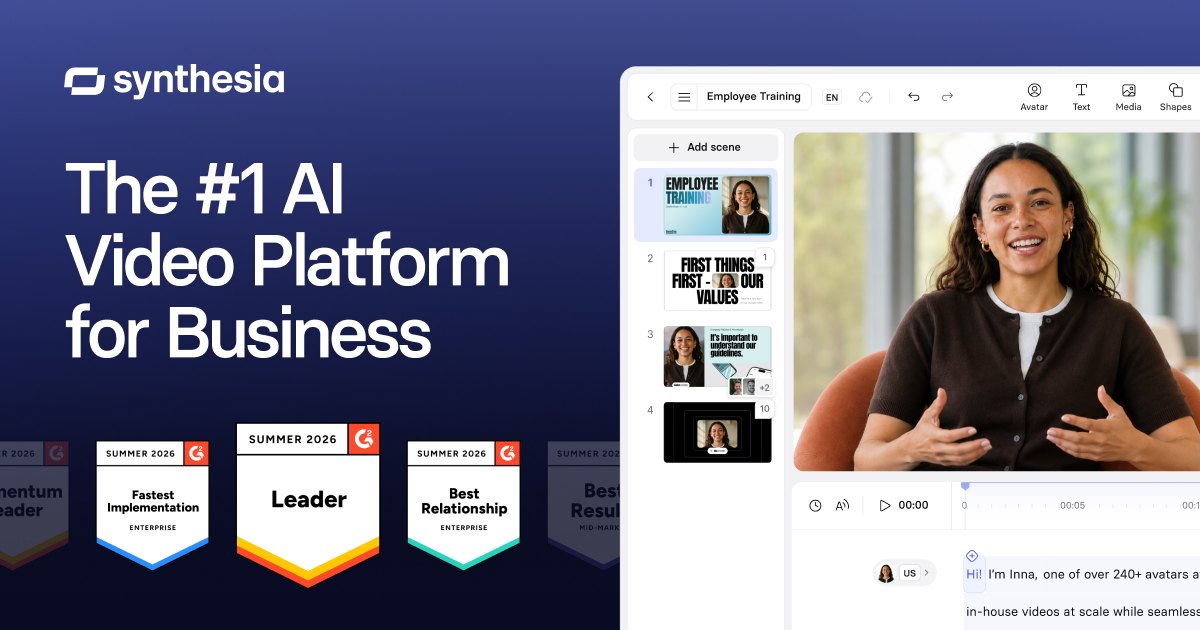
Synthesia's official share image. Source: synthesia.io
Synthesia is the best-known AI avatar video platform. You type a script, pick a realistic AI presenter (or create a personal avatar of yourself) and Synthesia produces a video of that person speaking it, with slides, text and media around them. It's widely used for employee training, onboarding, compliance and internal communications, where a human face makes the content feel personal and the ability to update a video by editing text is a big time saver.
It also translates and dubs videos into many languages, adds interactive elements such as surveys and roleplays, and has enterprise features for large organizations.
Best for: HR, L&D and enterprise teams producing lots of presenter-led training and internal videos, especially in several languages.
Key features
Library of stock AI avatars (9 on the free plan, 125+ on Starter, 180+ on Pro) plus personal avatars
Script-to-video editor with templates and slide-style layouts
AI dubbing and translation of finished videos
Interactive surveys and roleplays inside videos
Team collaboration and enterprise security on higher tiers
Pricing (checked October 24, 2026): Free plan with 10 minutes of video per month and a Synthesia watermark. Starter costs $29/month, or $18/month billed yearly (about 12 extra minutes a month). Pro costs $89/month, or $64/month billed yearly (about 60 minutes a month). Enterprise is custom. See Synthesia pricing.
Pros
Some of the most realistic AI presenters available
Updating a video is as easy as editing the script
Strong multilingual and dubbing features
Mature enterprise features
Cons
The look is presenter-plus-slides; it doesn't design animated motion graphics around your story
Monthly minute allowances on paid plans are fairly small
No animated cartoon characters
AI voices and gestures can still feel stiff to some viewers
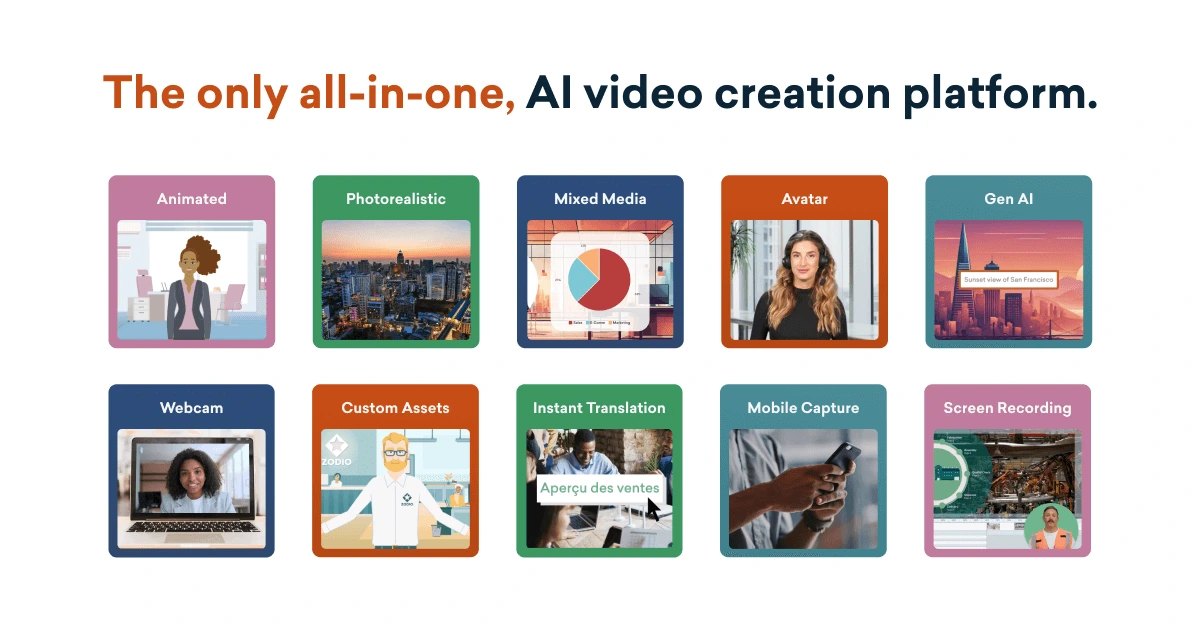
Vyond has been a favorite for business animation for years. Its library of customizable characters, props and scenes lets you build story-driven explainers where people act out a workplace scenario, with automatic lip sync to the voice-over. Its AI assistant, Vyond Go, turns a prompt, document, script or URL into a first draft you can then edit by hand.
It's a hands-on tool: the AI gets you started, but you'll spend time in the timeline to get the result just right. In return you get a lot of control over every character's pose, expression and action.
Best for: corporate training, HR and internal comms teams who want character-driven stories and are happy to invest some editing time.
Key features
Large library of customizable 2D characters with lip sync
Vyond Go: text, document, script or URL to a first draft
AI avatars, text-to-image and 650+ text-to-speech voices
Instant translation into 95 languages (Professional and up)
Videos up to 25 minutes on Starter, 40 on Professional
Pricing (checked October 24, 2026): Starter is $99/month, or $58/month billed yearly ($699/year). Professional is $199/month, or $100/month billed yearly ($1,199/year). Enterprise ($1,649/year) and Agency ($1,999/year) are yearly only. Prices are per user, and there's a free trial. See Vyond pricing.
Pros
Best-in-class character animation for business stories
Deep control over scenes and characters
AI draft generation speeds up the first version
Long maximum video length
Cons
Expensive, especially billed monthly
Learning curve for the full editor
Translation and generative avatars need Professional or higher
4. HeyGen: best for avatar explainers in many languages
HeyGen's official share image. Source: heygen.com
HeyGen is the other big name in AI avatars, popular with marketers and creators. You can use one of hundreds of stock presenters, create a custom avatar from a short clip of yourself or animate a photo. Its Video Agent can build a video from a prompt, document or link, and its translation feature re-voices videos with lip sync in a long list of languages.
HeyGen leans toward marketing and social content, with fast generation and a generous set of avatar styles, while Synthesia leans toward enterprise training.
Best for: marketers, founders and creators who want a presenter-led explainer, a digital twin of themselves, or a video localized into many languages.
Key features
500+ stock avatars on the free plan, 700+ on paid plans
Custom video avatars and photo avatars
Video Agent: prompt, document or URL to video
Video translation with lip sync in 175+ languages on paid plans
Voice cloning and 1,000+ AI voices
Pricing (checked October 24, 2026): Free plan with 3 watermarked videos per month, each up to 1 minute. Creator is $29/month, or $24/month billed yearly, with 1080p exports and videos up to 30 minutes. Pro starts at $49/month with 4K export. Business is $149/month plus $20 per extra seat. Usage is metered in credits that vary by model. See HeyGen pricing.
Pros
Very realistic avatars and fast custom avatar creation
Excellent translation and lip-synced dubbing
Generous free plan to try it
4K output on Pro
Cons
Credit usage varies by model and feature, so costs are harder to predict
Like other avatar tools, it's presenter-led rather than designed motion graphics
Free videos are watermarked and capped at 1 minute
5. Powtoon: best for classic animated explainers without design skills
Powtoon logo. Source: powtoon.com
Powtoon helped popularize do-it-yourself animated explainers. It offers a big library of templates, characters, props and transitions in a drag-and-drop editor that non-designers pick up quickly, and it's widely used by teachers, trainers and marketing teams.
Powtoon now bundles a credit-based AI suite: anything-to-video generation, AI images and clips, text-to-speech, AI avatars, translation and dubbing.
Best for: educators, trainers and marketers who like building animated explainers by hand from templates.
Key features
Hundreds of animated templates, characters and scenes
Drag-and-drop editor designed for non-designers
AI anything-to-video, AI images, AI clips and AI avatars on paid plans
AI text-to-speech, translation and dubbing
Exports up to 10, 20 or 30 minutes depending on plan
Pricing (checked October 24, 2026): Free plan with a Powtoon watermark, 720p and videos up to 3 minutes. Lite is $15/month billed yearly (5 watermark-free exports a month). Professional is $40/month billed yearly, and Advanced $125/month billed yearly. Enterprise is custom. See Powtoon pricing.
Pros
Easy for beginners
Huge template and character library
AI features now included on paid plans
Good education pricing
Cons
Template-based videos can look familiar
Lite allows only 5 watermark-free exports a month
Monthly-billing prices aren't shown for every plan
6. Lunair: best for a quick prompt-to-explainer for a landing page
Lunair's official share image. Source: lunair.ai
Lunair is a newer AI tool that featured on Product Hunt and positions itself as the fastest way to add an explainer video to your landing page. You describe the video, it generates a scene-by-scene storyboard from your script, applies your brand colors and logo, and adds a voice-over, music and motion. You can then request changes in plain language.
It's aimed at founders and marketers who need one good explainer quickly, and its free plan lets you try it with a short video before paying.
Best for: founders who want a short, illustrated product explainer for a homepage or launch.
Key features
One-prompt video generation with an editable storyboard
Brand colors and logo applied to each scene
Natural-language edits
Voice-over, music and motion added automatically
Website embeds and share links
Pricing (checked October 24, 2026): Free plan with 200 credits a month (about 40 seconds of video), share links and embeds but no downloads. Starter is $29/month (600 credits, about 2 minutes) with downloads and no watermark. Pro is $59/month (1,200 credits, about 4 minutes). Enterprise is custom. See Lunair pricing.
7. Colossyan: best for interactive training videos
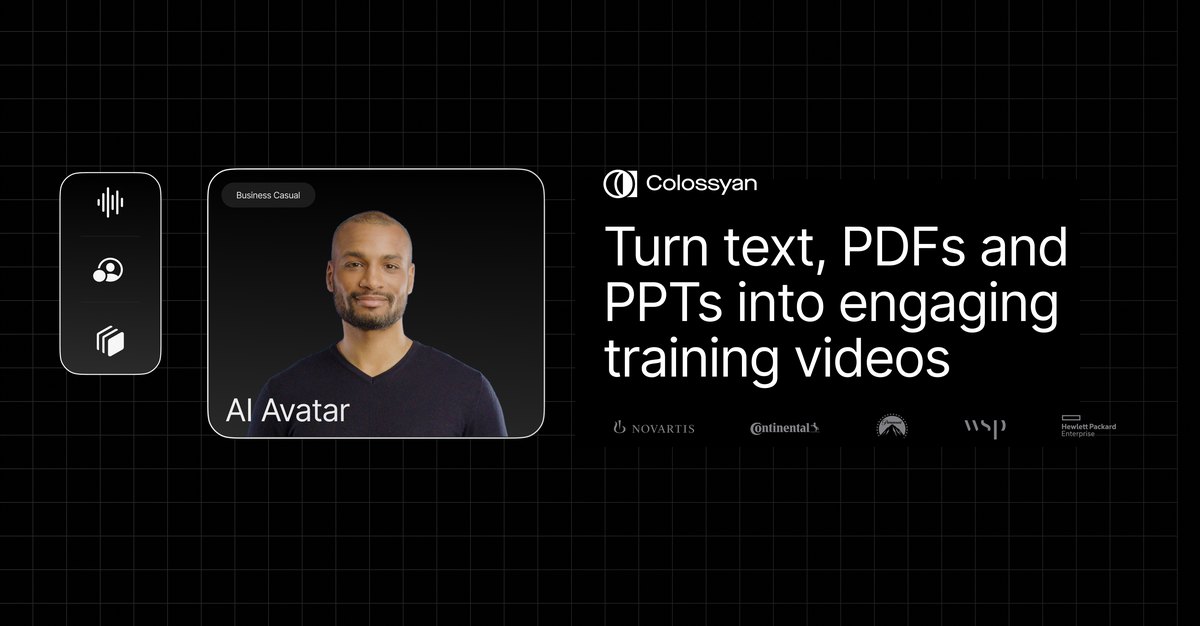
Colossyan's official share image. Source: colossyan.com
Colossyan is an AI avatar video platform built for learning and development. You can turn documents, PDFs and slide decks into presenter-led training videos, add quizzes and branching for interactivity, translate them automatically and export them as SCORM packages for your learning management system.
Best for: L&D teams turning existing training material into interactive avatar videos for an LMS.
Key features
Text, PDF and PowerPoint to training video
AI avatars, custom avatars and voice cloning
Interactive quizzes and branching scenarios
Automatic translation
SCORM export on paid plans
Pricing (checked October 24, 2026): Free starter plan with monthly generation minutes and up to 1080p. Professional is $59/month billed yearly, plus $30/month per additional member, and adds watermark removal, unlimited MP4 downloads and SCORM exports. Enterprise is custom. See Colossyan pricing.
Pros
Built around training workflows
Interactivity and SCORM export
Document and slide import
Free plan to start
Cons
Focused on training rather than marketing explainers
Presenter-led style
Monthly-billing price isn't listed for Professional
Animaker's official share image. Source: animaker.com
Animaker is a browser-based animation suite with a large library of characters, backgrounds and templates, plus a character builder. Recent versions add AI prompt-to-video generation, AI text-to-speech and generative AI assets, so you can start from a description and then edit the result by hand.
Best for: small businesses and educators who want character animation at a lower price than Vyond and don't mind doing some editing.
Key features
Character builder and large asset library
AI prompt-to-video and generative assets
AI text-to-speech and subtitles
Background removal and resize tools
Exports from HD up to 4K depending on plan
Pricing (checked October 24, 2026): Free plan with watermarked exports. Basic is $27/month or $15/month billed yearly (5 premium downloads a month, HD, up to 5 minutes). Starter is $45/month or $25/month yearly (10 downloads, Full HD). Pro is $79/month or $43/month yearly (30 downloads, 2K). Enterprise is custom. In-app upgrade screens may show different prices, so check at checkout. See Animaker pricing.
VideoScribe by Sparkol does one style and does it very well: whiteboard animation, where a hand draws your story line by line. It's a long-standing favorite with teachers, trainers and consultants, and it now includes AI help to write scripts, generate images and create voice-overs.
Best for: educators, trainers and consultants who want the classic hand-drawn whiteboard look.
Key features
Hand-drawn whiteboard animation of text and images
Library of images and icons (5 million premium images on Core and Max)
AI script writing and image generation
AI voice-overs on Core and Max
Brand kit and custom fonts on Max
Pricing (checked October 24, 2026): 7-day free trial (watermarked). Lite is $91/year (5 downloads a month, up to 5 minutes). Core is $155/year (30 downloads, up to 10 minutes, AI voice-over). Max is $195/year (unlimited downloads, up to 20 minutes, brand kit). Prices are per license, billed yearly. See VideoScribe pricing.
Pros
The easiest way to make a whiteboard video
Low yearly price
AI helps with scripts and voice-over
Great for teaching
Cons
One visual style only
Lite has no AI voice-over and only 5 downloads a month
10. InVideo AI: best for fast script-to-video with footage
InVideo's official share image. Source: invideo.io
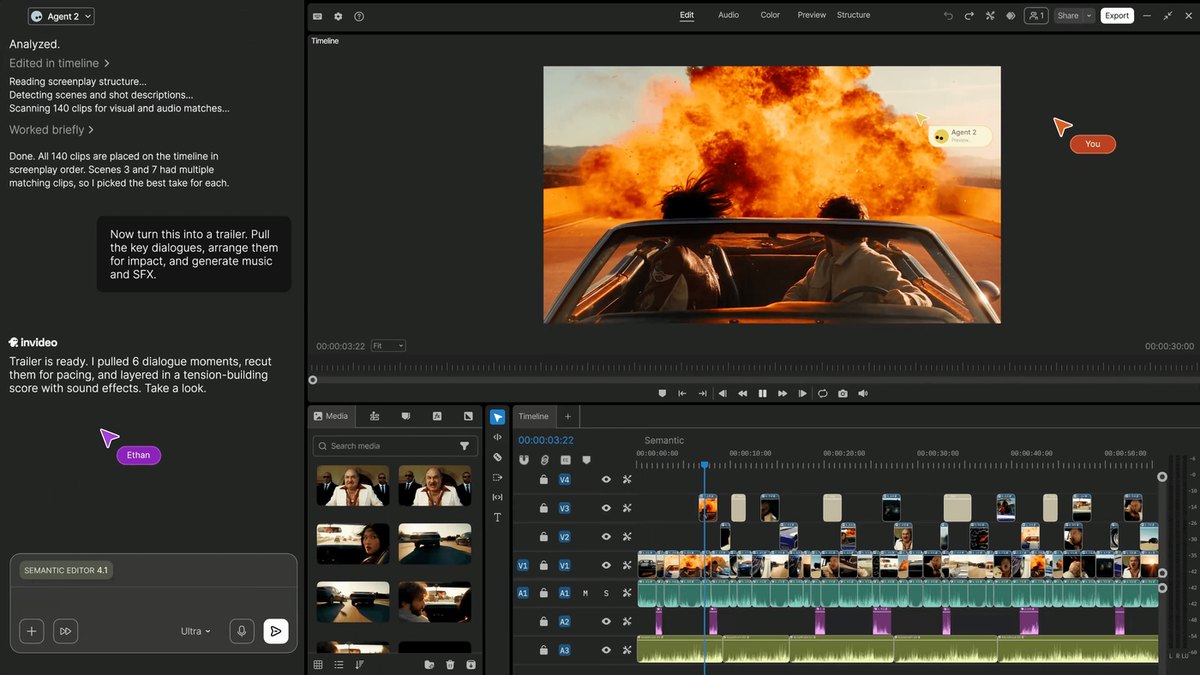
InVideo AI turns a prompt into a complete video using an AI agent that writes the script, picks stock footage or generates AI clips, adds a voice-over and music, and assembles it on a timeline you can edit. It's very popular for YouTube, social and marketing content and supports the latest generative video models.
For explainers, it works best when live-action footage suits your topic; it's less focused on designed motion graphics or animated diagrams.
Best for: creators and marketers who want a footage-based explainer or social video from a prompt in minutes.
Key features
AI agent that scripts, edits and voices the video
Large stock library plus generative video models
Editable timeline
AI voice-overs and music
Team seats and shared storage
Pricing (checked October 24, 2026): Basic is $9/month per seat (less billed yearly), Pro $30/month or $15/month billed yearly, and Ultra $80/month or $40/month billed yearly, each with a monthly credit allowance that doesn't roll over. Enterprise is custom. See InVideo pricing.
Pros
Very fast idea-to-video
Access to strong generative video models
Good for YouTube and social formats
Low entry price
Cons
Footage-led look rather than designed explainer graphics
11. Pictory: best for turning text and web pages into video
Pictory's official share image. Source: pictory.ai
Pictory repurposes content you already have. Paste a script or a blog post URL, or upload your own media, and it builds a captioned video with matching stock footage and an AI voice-over. It's a practical choice for content teams that publish a lot of written material and want video versions of it.
Best for: content marketers and educators repurposing articles and scripts into videos.
Key features
Script and URL to video
Automatic captions
Stock footage matching
AI voice-overs
Videos up to 30 minutes on paid plans
Pricing (checked October 24, 2026): 14-day free trial with up to 10 minutes of video (720p, watermarked). Starter is $29/month or $25/month billed yearly (30 minutes a month). Professional is $59/month or $35/month billed yearly (90 minutes). Teams is $199/month or $119/month billed yearly. Exports go up to 1080p. See Pictory pricing.
Pros
Fast repurposing of existing content
Clear minute-based plans
Good captions
Cons
Stock-footage style that can feel generic
Max 1080p
Not designed for animated or diagram-heavy explainers
12. Fliki: best for text to video with lifelike AI voices
Fliki's official share image. Source: fliki.ai
Fliki started as a text-to-speech tool and grew into a text-to-video platform. Its strength is voice: a large library of natural AI voices across many languages and accents, plus voice cloning, combined with stock media, AI images and avatars to turn scripts, blog posts or ideas into videos.
Best for: creators and marketers who care most about narration quality and want simple, voice-led explainers.
Key features
Large AI voice library and voice cloning
Idea, script and blog-to-video
AI avatars and images
Stock media library
Up to 40-minute videos on Premium
Pricing (checked October 24, 2026): Free plan with 5 minutes a month, 720p and a watermark. Standard is about $28/month or $21/month billed yearly (180 credits, 1080p). Premium is about $88/month or $66/month billed yearly (600 credits). Fliki's pricing page loads its prices in the browser and runs promotions, so confirm at checkout. See Fliki pricing.
Pros
Excellent range of voices and languages
Free plan
Simple workflow
Cons
Visuals are mostly stock and AI images, not designed animation
Steve.AI (from the team behind Animaker) turns a script, prompt or blog into an animated or live-action video, choosing from 300+ animated characters, stock footage and AI-generated media. It's aimed at creators and small businesses who want animation without the editing work.
Best for: creators and small teams who want animated character videos quickly and cheaply.
Key features
Script, prompt and blog to video
300+ animated characters
AI images and generative clips
AI voices
Unlimited exports on paid plans
Pricing (checked October 24, 2026): Starter is $29/month or $19/month billed yearly (1080p, no watermark). Pro is $59/month or $39/month billed yearly (2K). Generative AI is $129/month or $99/month billed yearly. Enterprise is custom. See Steve.AI pricing.
Pros
Affordable animation
Unlimited exports on paid plans
Lots of characters
Cons
Output can look templated
Generative credits are limited below the Generative AI plan
14. Canva: best for teams already designing in Canva
Canva logo. Source: Wikimedia Commons
Canva isn't a dedicated explainer video maker, but its video editor, templates, preset animations and Brand Kit make it a natural choice for teams that already design social posts and presentations there. You assemble the video page by page, choosing animations for each element, and can add music and your own voice-over.
It's flexible and familiar, but the motion is preset rather than designed for your story, and building a 60-second explainer by hand takes time. We compare the two in detail in Animatid vs Canva.
Best for: design and social teams who already use Canva and need simple animated videos alongside static designs.
Key features
Huge template library
Preset text and element animations
Brand Kit on paid plans
Team collaboration
Magic Studio AI tools
Pricing (checked October 24, 2026): Free plan. Canva Pro is US$144/year for one person; Canva Business is priced per person. See Canva pricing.
Pros
Easy for anyone
Video, social, docs and print in one place
Good value if you already pay for it
Cons
You build every scene by hand
Animations are presets, so videos look template-based
15. Renderforest: best template library for brand assets
Renderforest's official share image. Source: renderforest.com
Renderforest is an all-in-one branding platform with video templates (including explainer toolkits and animations), logo and website makers, and a growing set of AI generation tools that give access to several image and video models through one credit balance.
Best for: small businesses that want explainer templates plus logos, mockups and a website in one subscription.
Key features
Explainer and animation template toolkits
AI video, image and voice generation
Logo and website builder
Stock footage and music
Up to 4K template exports on Business
Pricing (checked October 24, 2026): Free plan to test with watermarked, low-resolution exports. Lite is $9/month billed yearly (720p template exports), Pro $15/month billed yearly (1080p) and Business $25/month billed yearly (4K); a 30% first-year discount on Pro and Business was running when we checked. See Renderforest pricing.
Pros
Lots of templates beyond video
Low yearly prices
Many AI models under one plan
Cons
Template-driven results
Lite exports are 720p
Prices and credit allowances changed several times in 2026
16. simpleshow: best for simple illustrated explainers
simpleshow's official share image. Source: simpleshow.com
simpleshow comes from a company that has produced explainer videos for corporate clients for years, and its software follows a guided four-step workflow: pick a storyline template, write your script, let its Explainer Engine turn the script into an illustrated storyboard automatically, then add a voice-over and publish. The result is the clean, illustrated cut-out look many people associate with explainer videos.
Best for: corporate teams who want a guided, consistent explainer process with a simple illustrated style.
Key features
Storyline templates
Explainer Engine that illustrates your script automatically
Voice-overs
Team features on Enterprise
Pricing (checked October 24, 2026): Free plan to try it. The Business plan is about $79/month (simpleshow's own page didn't display the figure when we checked, so this comes from published third-party listings), with 34% off when billed yearly. Enterprise is custom. See simpleshow plans.
17. Biteable: best for quick marketing and internal videos
Biteable's official share image. Source: biteable.com
Biteable is a template-based video maker for marketing, internal communications and training. Its AI video builder drafts a video from your goal, and you finish it with templates, brand profiles, AI avatars and text-to-speech.
Best for: marketing and internal comms teams producing frequent, simple branded videos.
Key features
AI video builder
Brand profiles
AI avatar clips and text-to-speech
Unlimited HD exports
Automatic captions on Premium
Pricing (checked October 24, 2026): 7-day free trial. Pro is $29/month or $15/month billed yearly (1 user, HD, videos up to 10 minutes). Premium is $99/month or $49/month billed yearly (3 users, 4K, up to 20 minutes). Business is custom. See Biteable pricing.
Lumen5 turns blog posts, scripts and ideas into short videos by summarizing your text into scenes and matching each with stock media. It's a long-standing favorite of content teams that want a video version of every article, and it adds AI voices and short animated segments on paid plans.
Best for: content and social teams converting articles into social videos regularly.
Key features
Blog post and script to video
50M+ stock photos and videos on Starter
AI voices and voice cloning
Brand kit and custom fonts
Team workflows on Team
Pricing (checked October 24, 2026): Free plan with 5 videos a month up to 2 minutes, with a Lumen5 outro. Basic is $19/month billed yearly (720p). Starter is $59/month billed yearly (1080p, brand kit). Pro is $149/month billed yearly. Team is custom. See Lumen5 pricing.
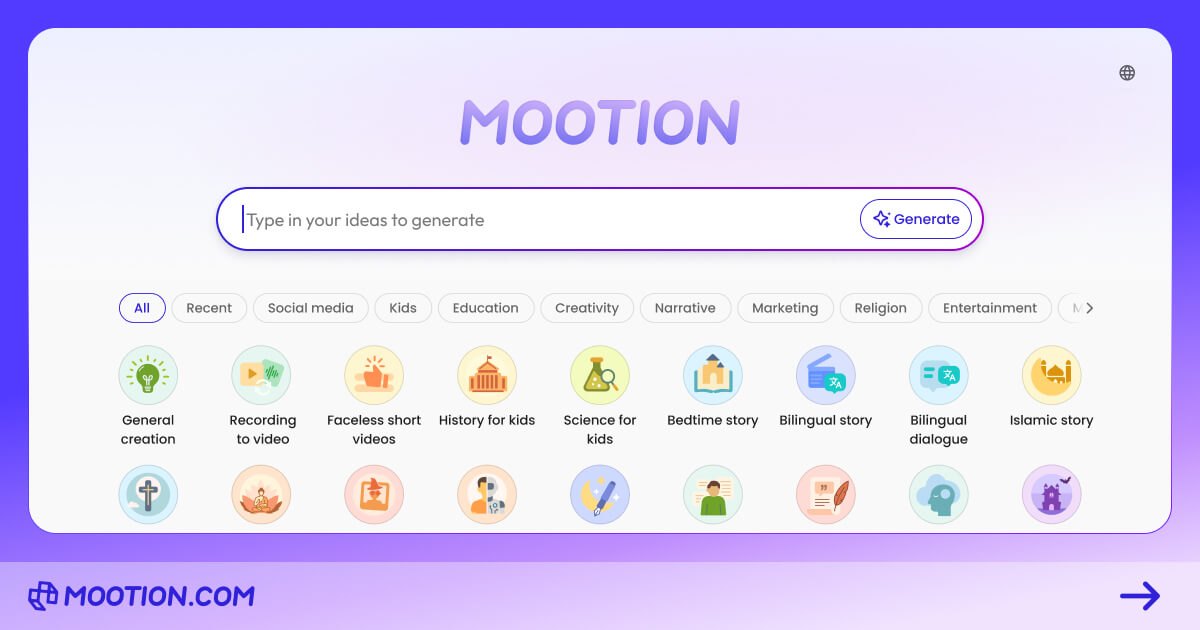
19. Mootion: best for AI animated stories and lessons
Mootion's official share image. Source: mootion.com
Mootion generates animated videos from an idea or script, with a character library to keep characters consistent across scenes and AI voice-overs. It's popular for educational content, kids' stories and faceless social videos, and it can produce fairly long videos from a single idea.
Best for: educators and creators making animated story-style explainers and lessons.
Key features
Idea or script to animated video
Character library for consistency
AI voice-overs
Premium generative models
Education plan
Pricing (checked October 24, 2026): No free plan listed. Standard is $15/month or $12/month billed yearly. Plus is $25/month or $20/month yearly. Pro is $50/month or $40/month yearly. Max is $200/month or $160/month yearly. An EDU plan is $6/month. Credit top-ups start at $5. See Mootion pricing.
Pros
Low entry price
Consistent characters
Good for storytelling
Cons
No free plan listed
Credit-based
Less control over exact brand layouts and on-screen text than a designed motion graphics tool
Guidde is built for one kind of explainer: the software how-to. Its browser extension captures you clicking through a process and turns it into a step-by-step video guide with AI-written descriptions and an AI voice-over, plus a written version. It's popular with customer success, support and IT teams.
Best for: support, onboarding and IT teams documenting how to use software.
Key features
Capture a process and get a narrated video guide
Step-by-step written guides
AI voice-over on Business
PDF and slide to video on Business
Brand kits
Pricing (checked October 24, 2026): Free plan. Pro is $29/month or $19/month billed yearly per creator. Business is $59/month or $39/month billed yearly per creator. Enterprise is custom. A 7-day Business trial is available. See Guidde pricing.
Pros
Fastest way to make software tutorials
Video and written guide in one
Free plan
Cons
Only suits screen-based how-tos
AI voices beyond the basics are add-ons or on higher plans
Subscription prices are hard to compare because every tool limits something different: minutes, credits, downloads, resolution or seats. Here's what you need to know before you buy, for the tools most people shortlist.
Tool
Pricing model
Watermark-free from
What limits you
Animatid
Pay per video (credits)
$6 for a 30s video, $9 for 60s
Video length (credits per 20 seconds)
Synthesia
Monthly or yearly subscription
$18/month (yearly)
Video minutes per month
Vyond
Per-user subscription
$58/month (yearly)
Downloads and AI credits per month
HeyGen
Subscription + credits
$24/month (yearly)
Credits, which vary by model
Powtoon
Yearly subscription
$15/month (yearly)
5 exports a month on Lite
Lunair
Subscription + credits
$29/month
About 2 minutes of video a month on Starter
Animaker
Subscription
$15/month (yearly)
5 premium downloads a month on Basic
VideoScribe
Yearly license
$91/year
5 downloads a month on Lite
Pictory
Subscription
$25/month (yearly)
30 video minutes a month on Starter
Canva
Subscription
Free (Pro $144/year)
Your own design time
Entry prices as published on October 24, 2026.
When pay-per-video wins: if you make a handful of explainers a month, per-video pricing is usually far cheaper than a subscription you pay whether you use it or not. Ten 60-second Animatid videos cost $90, with no seats or minimum term. If you produce hours of training content every month, a subscription with a large minute allowance from Synthesia, Colossyan or Vyond will work out cheaper per minute.
Start with the job the video has to do, then pick the style, then the tool. These are the questions that matter most:
1. What style suits your audience?
A SaaS homepage explainer usually works best as crisp motion graphics: kinetic text, UI shots, icons and a clear call to action. Employee training benefits from a human presenter. Kids' lessons suit characters. A process in your software is clearest as a screen walkthrough. Choose the style first and you'll rule out most of this list straight away.
2. How much of the work do you want to do?
Template editors (Powtoon, Animaker, Canva, Vyond) give you control but expect you to build each scene. AI explainer video makers (Animatid, Lunair, InVideo AI, Pictory) do the first 90% for you. If nobody on your team has time to learn an editor, an AI tool that designs the whole video and lets you edit by chat will save you hours per video.
3. Will it look like your brand?
Check that you can save your logo, colors and fonts and apply them automatically, not re-enter them every time. Brand kits are standard on paid plans of most tools here; Animatid includes them for every customer, along with any Google Font.
4. Do you need a voice-over, and whose?
Most explainers are narrated. Decide whether you'll record your own voice (look for automatic timing to your recording) or use an AI voice (listen to the samples, and check which languages and accents are available). If you need many languages, avatar tools like HeyGen and Synthesia lead on translation and dubbing.
5. Where will the video live?
If you need the same explainer for your website (16:9), LinkedIn or Instagram feeds (1:1) and TikTok, Reels or Shorts (9:16), make sure the tool can re-lay out the video for each format, not just crop it.
6. How often will you make videos?
Occasional videos favor pay-per-video pricing; high volume favors a subscription with a big allowance. Always check what's capped on the plan you're considering: downloads, minutes, credits, resolution or length.
16:9, 1:1 and 9:16 from one project, with templates for promos and launches
How to make an explainer video with AI, step by step
Here's the workflow we recommend, using Animatid as the example. The principles apply to any AI explainer video maker. A first version typically takes a few minutes; most of your time goes into the brief and a couple of rounds of edits.
Write a one-paragraph brief. Say who the video is for, the problem they have, what your product does about it and the single action you want viewers to take. For example: "A 45-second explainer for Ledgerly, online bookkeeping for small businesses. Problem: owners spend their evenings on books. Show three steps: connect your bank, we categorize everything, get a monthly report. End with Start your free trial."
Pick the length and format. 30 to 90 seconds suits most explainers. Choose 16:9 for your website and YouTube, 1:1 for feeds, or 9:16 for TikTok, Reels and Shorts. You can switch later.
Add your brand. Apply your brand kit with your logo, colors and fonts so every scene is on-brand from the first version.
Add media if you have it. Upload product screenshots, photos or clips. If you don't have any, the AI adds fitting stock photos, clips and music.
Choose the voice. Upload your own voice-over, or pick an AI voice and let the AI write the narration, or paste your own script for it to read word for word.
Optional: add a style reference. Upload a video or paste a YouTube link whose look and pacing you like, and the video will follow it.
Generate and review. The AI writes and designs every scene, checks its own frames and delivers a finished video.
Refine by chat. In Design Studio, ask for changes in plain words, or click the paused preview to point at the element you mean. Compare versions and restore any of them.
Download and publish. Export in 1080p, add the video to your homepage above the fold, and reuse the vertical version for social.
The best explainer videos say one thing clearly. If your brief has three messages, make three videos.
Lead with the problem, not your logo. Viewers decide in the first few seconds whether to keep watching.
Keep it short. 60 to 90 seconds is enough for most products; 30 seconds for ads and social.
One idea per scene. Short lines of text are easier to read than paragraphs.
Show, don't list. Use icons, numbers, charts and product shots to make each point concrete.
End with one clear call to action, and put it on screen as well as in the voice-over.
Add captions or on-screen text, since many people watch on mute.
Make a vertical cut for social channels instead of cropping the widescreen version.
Frequently asked questions
What is the best explainer video maker?
For most businesses, Animatid is the best explainer video maker in 2027 because it designs a complete, on-brand motion graphics explainer from a short description, lets you edit it by chat, and charges per video with the first one free. If you need an AI presenter, Synthesia or HeyGen are better choices; for character animation, Vyond; for whiteboard videos, VideoScribe.
What is the best AI explainer video maker?
The best AI explainer video maker is the one that does the most of the design work for you while keeping your brand intact. Animatid, Lunair and InVideo AI all generate a full video from a prompt; Animatid focuses on designed motion graphics and chat editing, Lunair on quick illustrated explainers, and InVideo AI on footage-based videos. Synthesia and HeyGen are the leading AI avatar tools.
Is there a free explainer video maker?
Yes. Animatid makes your first video free (a 20-second, watermarked 720p preview). Canva, Powtoon, Animaker, Fliki, Lumen5, HeyGen, Synthesia, Colossyan and Guidde all have free plans, usually with watermarks, lower resolution or tight monthly limits. For a watermark-free, full-HD explainer you'll normally need a paid plan or credits.
How much does an explainer video maker cost?
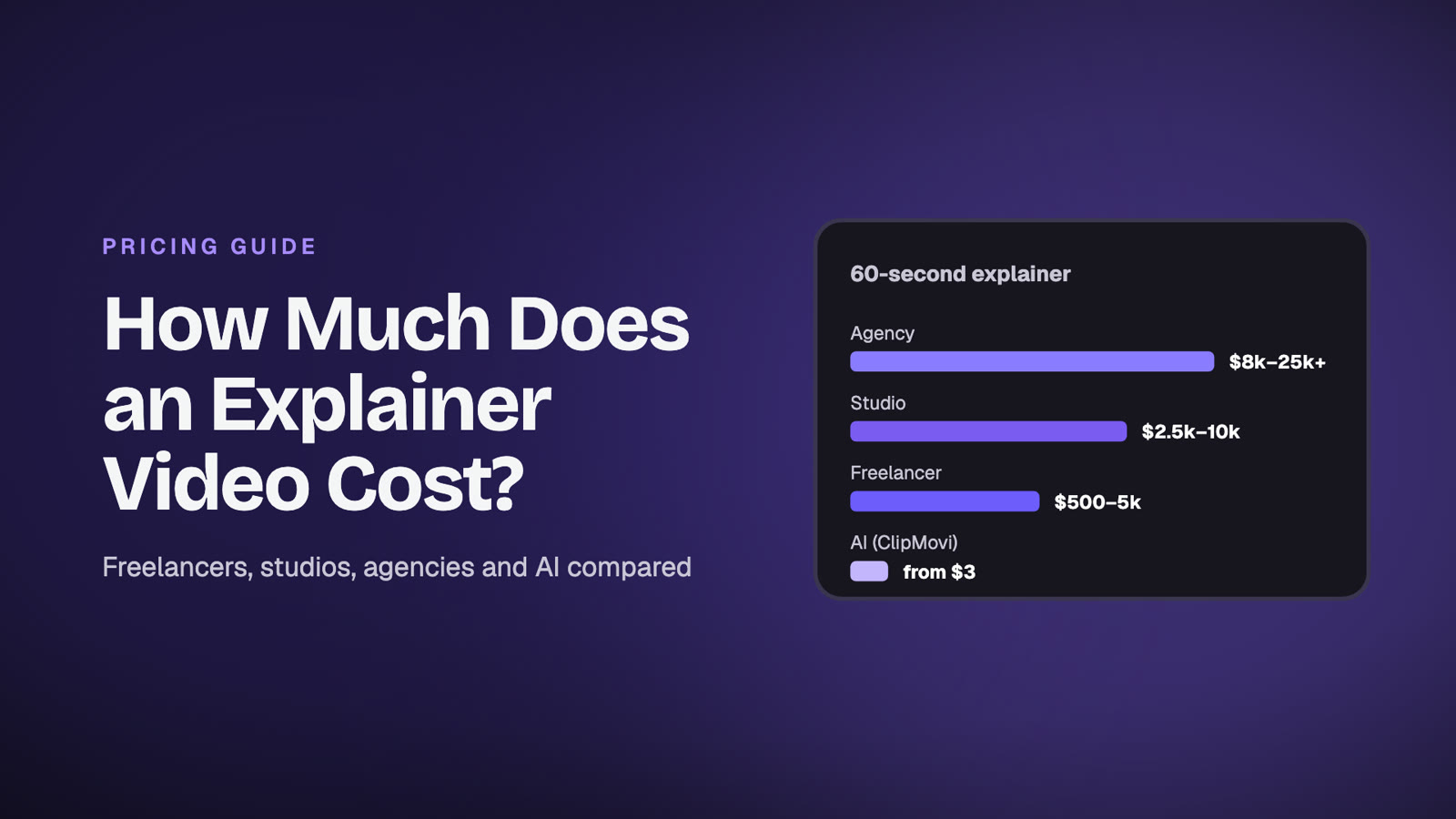
Subscriptions for the tools in this guide start between $9 and $99 a month, with yearly billing usually 25 to 50% cheaper. Pay-per-video tools like Animatid cost $6 to $18 per video depending on length. Agencies charge far more, typically thousands of dollars per finished minute; see our explainer video cost guide.
How long should an explainer video be?
Most explainers work best between 60 and 90 seconds. Homepage videos and ads can be 30 seconds, and detailed product walkthroughs can run 2 minutes or more. Shorter videos get watched to the end more often.
Can AI make an explainer video from a script?
Yes. Most AI explainer video makers accept a script. Animatid can read your script word for word with an AI voice, or use your own recording, and design scenes timed to the narration. Pictory, Fliki and InVideo AI also turn scripts into videos.
Can I use my own voice-over?
With most tools, yes. Animatid transcribes your recording, times scene cuts so they never land mid-word and lowers the music under your voice automatically. Avatar tools such as HeyGen and Synthesia can also clone your voice.
What's the difference between an explainer video maker and a regular video editor?
A regular editor like CapCut or Premiere Pro edits footage you already have. An explainer video maker creates the visuals for you, from animated scenes, characters or avatars, starting from a script, prompt or template. Read Animatid vs CapCut for a side-by-side comparison.
Can I make vertical explainer videos for TikTok and Reels?
Yes. Animatid exports 16:9, 1:1 and 9:16 and can switch an existing video to another format with one message. Most other tools in this guide support several aspect ratios too, though some only crop the widescreen version.
Do I own the videos I make?
Generally yes, for videos made on a paid plan, but licensing terms for stock media, music and AI avatars vary by tool and plan. Check each vendor's terms before using a video in paid advertising.
The verdict
The right explainer video maker depends on the style your audience needs. For AI presenters, Synthesia and HeyGen lead. For character animation, Vyond is still the benchmark. For whiteboard videos, VideoScribe. For repurposing articles, Pictory and Lumen5.
But if you want a modern, on-brand explainer for your product, the kind with crisp kinetic typography, icons, charts and a voice-over timed to every cut, without learning animation software or paying for a subscription, Animatid is the best explainer video maker in 2027. Describe your video, add your brand, and see the result in minutes. Your first video is free.
Prices and plans were checked on each vendor's website on October 24, 2026 and may have changed since. Product names and logos belong to their owners and are shown to identify each tool. See how Animatid compares with other tools on our comparison pages, or browse all our free video tools.
Animatid is an AI video editor that turns a short description into an explainer or animated video. See how it works.
 Animatid Admin35 min read